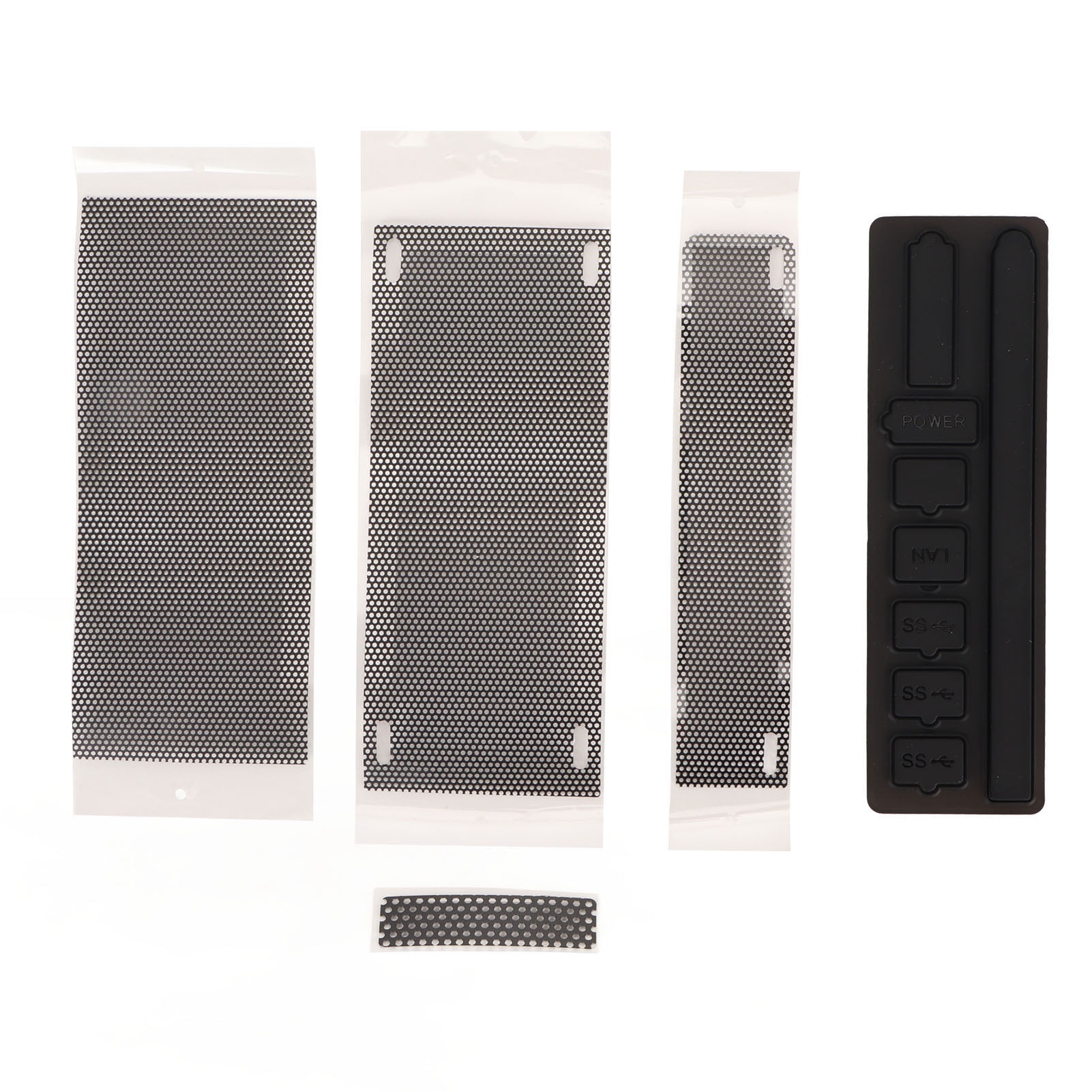
The Xbox Series S is a marvel of engineering. It’s tiny. It’s sleek. It fits into a backpack easier than a laptop. But that compact design comes with a massive trade-off that most players ignore until their frame rates start tanking and the fan sounds like a jet engine taking off from a tarmac. Dust is the enemy. It’s everywhere. It’s in your carpet, your skin cells, and that weird corner behind your TV you haven't cleaned since 2022. Because the Series S relies on a high-velocity fan pulling air through a relatively small chassis, it acts like a vacuum cleaner for every stray particle in your room. This is exactly why people started hunting for an Xbox Series S dust cover, but honestly, most of them are doing it completely wrong.
Most people think a cover is just a piece of fabric you throw over the console. It's not.
If you use the wrong one, you’re basically putting a parka on an athlete in the middle of a marathon. The console needs to breathe. It breathes through those circular black vents on the top (or side, depending on how you stand it) and the smaller intake grills on the sides. If you cover those while the console is in "Instant-On" mode or while you're downloading a 100GB Game Pass title, you are courting disaster. Hardware failure isn't a joke, and heat is the primary killer of silicon.
The Great Debate: To Cover or Not to Cover?
There are two schools of thought here. One side says that any Xbox Series S dust cover is a death sentence for the internal components. They argue that the console is designed to handle a normal amount of dust and that the airflow restriction caused by a cover—even when the machine is off—is a risk. The other side consists of people who live in dusty environments, have pets that shed like crazy, or just want their white console to stay white.
I’ve seen Series S units opened up after six months in a house with three cats. It’s a horror movie. The heatsink gets matted with fur, creating a literal thermal blanket over the APU. In that specific scenario, a cover is almost mandatory. But you have to be smart. You can't just buy a cheap neoprene sleeve and call it a day without understanding how the Xbox manages its power states.
Standby Mode vs. Full Shutdown
Microsoft designed the Series S with a feature called "Sleep" (formerly Instant-On). In this mode, the console isn't truly off. It’s sipping power, checking for updates, and occasionally spinning the fan to keep things cool while it writes data to the SSD. If you slide a thick, non-breathable Xbox Series S dust cover over the unit while it's in Sleep mode, the heat has nowhere to go. The internal temperature will climb. Slowly. Surely.
I've talked to repair technicians who see "no-display" issues caused by component degradation from long-term heat exposure in standby. If you’re going to use a cover, you really should switch your power settings to "Shutdown (energy saving)." It takes a few seconds longer to boot, but it ensures the fan isn't trying to fight against a piece of fabric.
Types of Covers: Mesh vs. Solid Sleeves
You generally have two choices when shopping.
First, there are the "Display Covers." These are usually made of nylon or acrylic. They look great. They prevent dust from settling on the console while you aren't playing. You have to remove them completely before you press the Xbox button on your controller. Forget once? You might get a thermal shutdown warning within twenty minutes.
Then you have the permanent "Mesh Filters." These are different. These are PVC or fine-mesh stickers that go directly over the intake and exhaust vents. The idea is to catch the dust while the console is actually running. Sounds perfect, right? Well, it's complicated.
The Airflow Restriction Problem
Every time you put a barrier in front of a fan, you increase the static pressure. Basically, the fan has to work harder to pull the same amount of air. On a PC, you can just ramp up the fan speed. On an Xbox, the firmware controls the fan curve. If a mesh Xbox Series S dust cover is too thick, the fan might not be able to compensate, leading to higher internal temperatures on the RAM and VRMs, even if the main chip stays within "safe" limits.
I prefer the custom-fit magnetic mesh filters for the side intakes, but I generally advise against covering the main circular exhaust vent with anything while the console is powered on. That big black circle is where the heat escapes. Don't mess with it.
Real-World Impact: Does It Actually Save Your Console?
Let's talk numbers, roughly. A clean Series S might run at an internal temperature of around 45°C to 55°C during a heavy session of Cyberpunk 2077 or Starfield. A dusty one? You're looking at 65°C or higher. Over time, that heat causes the thermal paste to dry out and crack. Once the paste goes, the heat transfer fails, and you're looking at a console that shuts down every time you try to play a Next-Gen game.
A quality Xbox Series S dust cover used during "off" hours can prevent about 80% of that buildup. It’s the difference between needing to open your console and voiding your warranty to clean it every year versus every four years.
Choosing the Right Material
Avoid anything that sheds. Some cheap felt covers actually contribute more lint to the system than the room dust they’re supposed to keep out. Honestly, it’s ironic.
- Oxford Cloth: Usually 600D density. It’s waterproof and thick. Great for protection, but zero breathability.
- Acrylic: Hard cases that sit over the console. They look premium but can be bulky.
- Silicone Skins: These aren't really dust covers. They protect against scratches but usually leave the vents wide open.
- PVC Mesh: Best for "active" filtering, but requires regular cleaning because the mesh itself gets clogged fast.
Maintenance of the Cover Itself
People buy an Xbox Series S dust cover and then never touch it again. That’s a mistake. If you use a mesh filter, you need to vacuum it or wipe it down once a week. If the filter is clogged with dust, it’s doing the exact same thing as a clogged heatsink—choking the console.
If you're using a fabric sleeve for when the console is off, shake it out outside once in a while. You’d be surprised how much gray fuzz accumulates on the inside of the fabric. You don't want to slide that back onto your clean console.
The Vertical vs. Horizontal Dilemma
Where you put your Xbox matters as much as what you cover it with. If your Series S is vertical, the side intake is on the bottom. If you have it on a carpet, a dust cover won't save you. The console will literally inhale the carpet fibers.
Always use a hard surface. If you must have it on the floor, get a small riser. When you combine a riser with a decent Xbox Series S dust cover for nighttime, you’re basically giving your console the best possible environment to survive the decade.
Misconceptions About "Cooling Fans" with Covers
You’ll see products on Amazon that combine a dust cover with "external cooling fans." Avoid these. Seriously.
Most of these third-party fans are cheap and move very little air. Worse, they often disrupt the internal airflow pressure that Microsoft’s engineers spent millions of dollars perfecting. Sometimes these fans even blow dust into the console through the exhaust. Stick to a simple, passive Xbox Series S dust cover and let the internal 120mm fan do the work it was designed to do.
What to Look for When Buying
If you're browsing for a cover today, look for three specific things. First, make sure it has a "back-end cutout." You shouldn't have to unplug your HDMI and power cables every time you want to put the cover on. That’s a massive pain and leads to port wear.
Second, check for a soft inner lining. The Series S has a matte white finish that can actually scuff or pick up "scuffs" from rough nylon. A soft microfiber lining is the gold standard.
Third, check the dimensions. Some covers are marketed for both the Series S and Series X. That's a lie. They are completely different shapes. A "one size fits all" cover will be baggy, look terrible, and probably won't stay in place.
Final Practical Steps for Console Longevity
If you want to keep your Series S running like new, don't just rely on a cover.
Start by checking your room's airflow. Is the console in a closed cabinet? If so, even the best Xbox Series S dust cover won't help you when the door is closed and the heat is recycling.
- Switch to "Energy Saving" mode. This ensures the console is truly off when you put the cover on.
- Use a fabric cover for long-term storage or nighttime. This prevents the "settling" dust that falls from the air.
- Vacuum the external vents once a month. Don't use compressed air; that just pushes the dust deeper into the power supply. Use a low-powered vacuum or a soft brush.
- Invest in a precision mesh kit. If you live in a high-dust environment, magnetic mesh filters on the side intakes are a game-changer.
- Wash the cover. If it's fabric, toss it in the laundry every few months.
Taking care of a console isn't about one single product. It’s about a routine. The Xbox Series S dust cover is a tool in that routine, not a magic bullet. Use it wisely, keep it clean, and your console will likely outlast the generation.
Don't wait until the fan starts clicking or the console smells like hot plastic. By then, the damage is usually done. Prevention is cheap; a new motherboard is not. Get a cover that fits your lifestyle, but more importantly, get into the habit of taking it off before you hit that power button. Your Xbox will thank you by not dying in the middle of a boss fight.